Pushing your Shark vacuum across a plush carpet only to feel it stall or refuse to budge is one of the most common frustrations among new Shark owners. Many people buy a vacuum expecting it to glide across carpet, then discover their model has no height adjustment knob. The truth is, Shark vacuums handle carpet differently than traditional uprights, and using them incorrectly leads to poor results and possible damage.
Learning how to use Shark vacuum on carpet effectively comes down to understanding two things: the carpet mode switch and the suction control dial. Most Shark models, including the Navigator, Lift-Away, and Vertex series, rely on these two features instead of physical height settings. This guide will show you exactly how to set up your vacuum, avoid the most common mistakes, and figure out whether your specific carpet type is compatible with your Shark.
Switch Your Shark to Carpet Mode First

The single most important step before vacuuming any carpet is engaging carpet mode. This activates the brushroll, the rotating bar that beats against carpet fibers to lift embedded dirt and pet hair.
Locate the Power Switch
Look at the top of the handle or the body of the vacuum. You will see a switch with two icons, one for hard floors and one for carpet. The carpet setting usually shows a carpet symbol or a label that reads “Carpets/Rugs.”
Confirm the Brushroll Spins
After sliding the switch to carpet mode, listen for a hum or vibration that indicates the brushroll is rotating. If you hear nothing, the brushroll may be jammed with hair or debris, or the thermal reset button (usually on the bottom of the cleaner head) may have tripped. Press the reset button and clear any visible blockages before trying again.
Adjust the Suction Dial to Match Your Carpet
Since Shark vacuums do not offer physical height adjustment, the suction control dial is your main tool for adapting to different carpet densities. This dial is usually located on the handle or the canister body.
Set Suction for Low-Pile Carpet
Low-pile carpets like berber or commercial-grade carpeting allow strong airflow and respond well to high suction. Turn the dial toward the Max or High setting for the deepest clean.
Lower Suction for Medium-Pile Carpet
Medium-pile carpet creates more resistance. Setting the dial to Min or Low reduces drag, prevents the vacuum from stalling, and protects the motor from overheating.
Reduce Suction for Thick or Plush Carpet
Many Shark users report that even on the lowest suction setting, the vacuum becomes nearly impossible to push on thick, plush, or high-pile carpet. If you find yourself straining or wearing out your arm, the carpet may simply be too thick for your model. Lowering the dial can help, but there is a limit to what suction adjustment can fix.
Warning: Running your Shark at maximum suction on deep carpet increases resistance, can trip the thermal cutoff, and may cause the brushroll to tangle in fibers.
Know Which Carpets to Avoid With Your Shark
Not every carpet works well with a Shark vacuum. According to user feedback, several common carpet types cause major problems, even when settings are adjusted properly.
High-Pile and Shag Carpets
Shark vacuums are not designed for high-pile, shag, or wool rugs. The aggressive brushroll tears into long fibers, causes fraying, and often gets tangled. Many owners of these rugs have damaged their carpets after just a few passes.
New Pet-Resistant Carpet
Several users with new pet-friendly carpet have reported that their Shark Navigator becomes almost impossible to push. Carpet installers have explained that the dense “pet barrier” backing restricts airflow, which makes the vacuum drag badly. In these cases, even a different vacuum may be needed.
Stair Carpeting
Thick carpet on stairs combined with the weight of a full-size Shark is a recipe for strain. Consider a handheld vacuum for stairs instead.
Prep the Room Before You Vacuum
A few minutes of preparation makes carpet vacuuming faster and more thorough.
Clear the Floor
Pick up toys, cords, clothing, and any debris larger than a dime. Closing doors helps contain pet hair and dust in one area.
Pre-Treat Heavily Soiled Areas
For traffic lanes or spots where pets sleep, sprinkle baking soda over the area and let it sit for 15 minutes. This loosens grime and neutralizes odors. You can also use a carpet rake to lift matted fibers before vacuuming.
Use the Right Vacuuming Technique
Even with perfect settings, technique matters on carpet.
Move Slowly and Overlap Each Stroke
Push the vacuum forward for two to three seconds per foot, then pull back at a steady pace. Overlap each pass by about half the width of the cleaner head to avoid missing strips of carpet. Speed kills suction on carpet, so resist the urge to rush.
Reach Edges and Corners
Tilt the head slightly to clean along baseboards. For tight corners and under furniture, detach the wand and switch to the crevice tool.
Pro Tip: If the vacuum ever resists movement, stop pushing. Check for clogs, clear the brushroll, or reduce the suction setting.
Clean the Brushroll Every One to Two Weeks
Hair, thread, and carpet fibers wrap around the brushroll quickly, and a tangled brushroll cannot agitate carpet properly.
How to Clean the Brushroll
- Turn off and unplug the vacuum.
- Flip the cleaner head over to expose the brushroll.
- Use scissors or the included de-tangling tool to cut away wrapped debris.
- Pull fibers from both ends until the roller spins freely.
- Reinstall the brushroll and test the spin.
Empty the Dust Cup More Often on Carpet
Carpet produces far more debris than hard floors, so the dust cup fills up faster.
When to Empty
Empty the dust cup after vacuuming each heavily soiled room, whenever debris reaches the MAX line, or if you notice suction dropping during use. Hold the cup over a trash can, press the release button, and tap gently to dislodge fine dust.
Check for Clogs After Every Carpet Session
Carpet fibers and embedded dirt can lodge in the wand, hose, or intake near the brushroll. Detach the hose and wand after vacuuming, shine a flashlight through each section, and use a flexible rod or coat hanger to clear any blockages. Never run the vacuum with a clog, since this can overheat the motor.
Wash the Filters Monthly
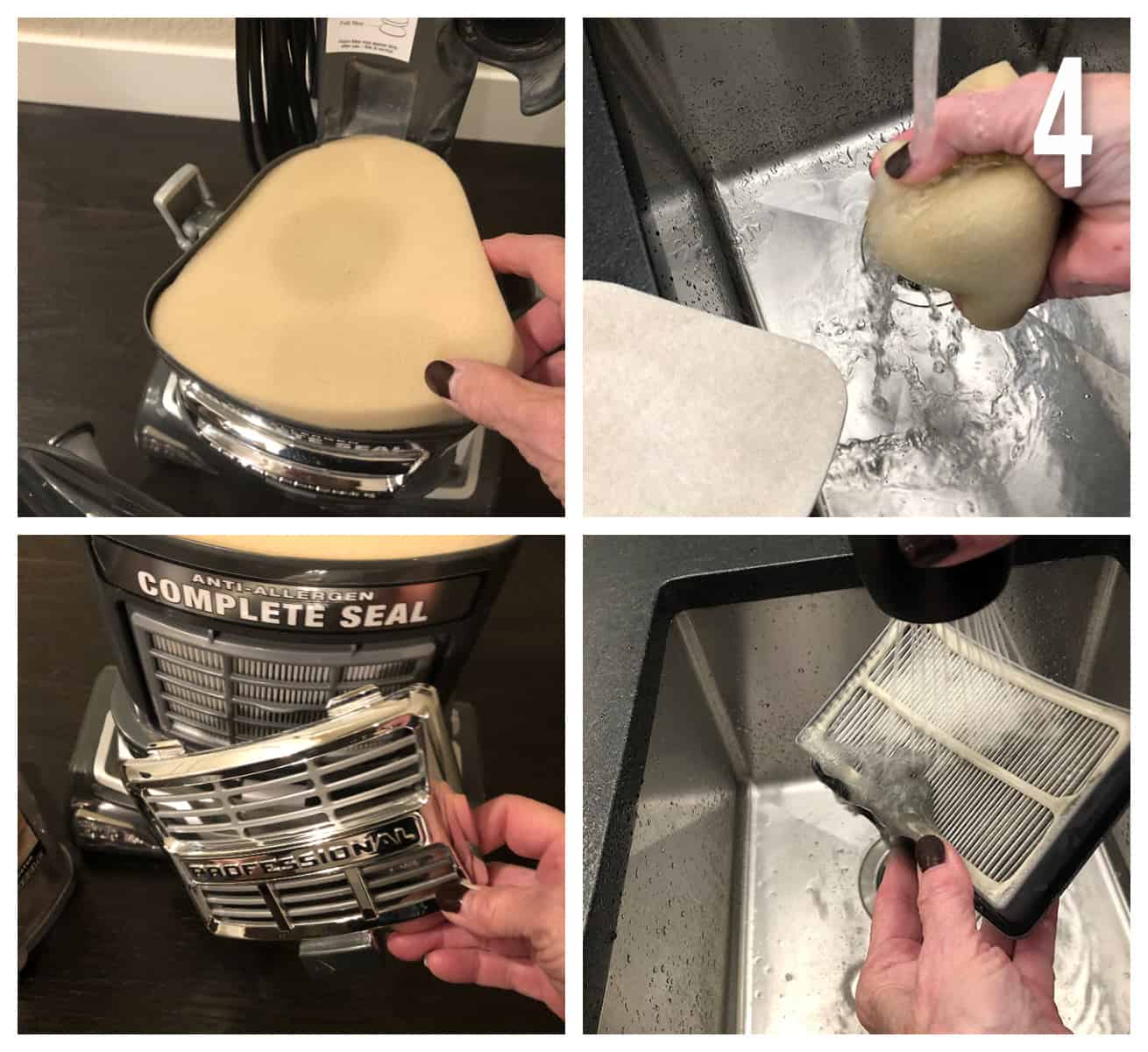
Dirty filters choke airflow and weaken suction, which matters more on carpet than on hard floors. Rinse the foam and felt filters under cool water without soap, squeeze gently, and let them air dry for 24 hours before reinstalling. If you vacuum carpet weekly, aim to wash the filters once a month.
Upgrade to a Carpet-Friendly Shark Model
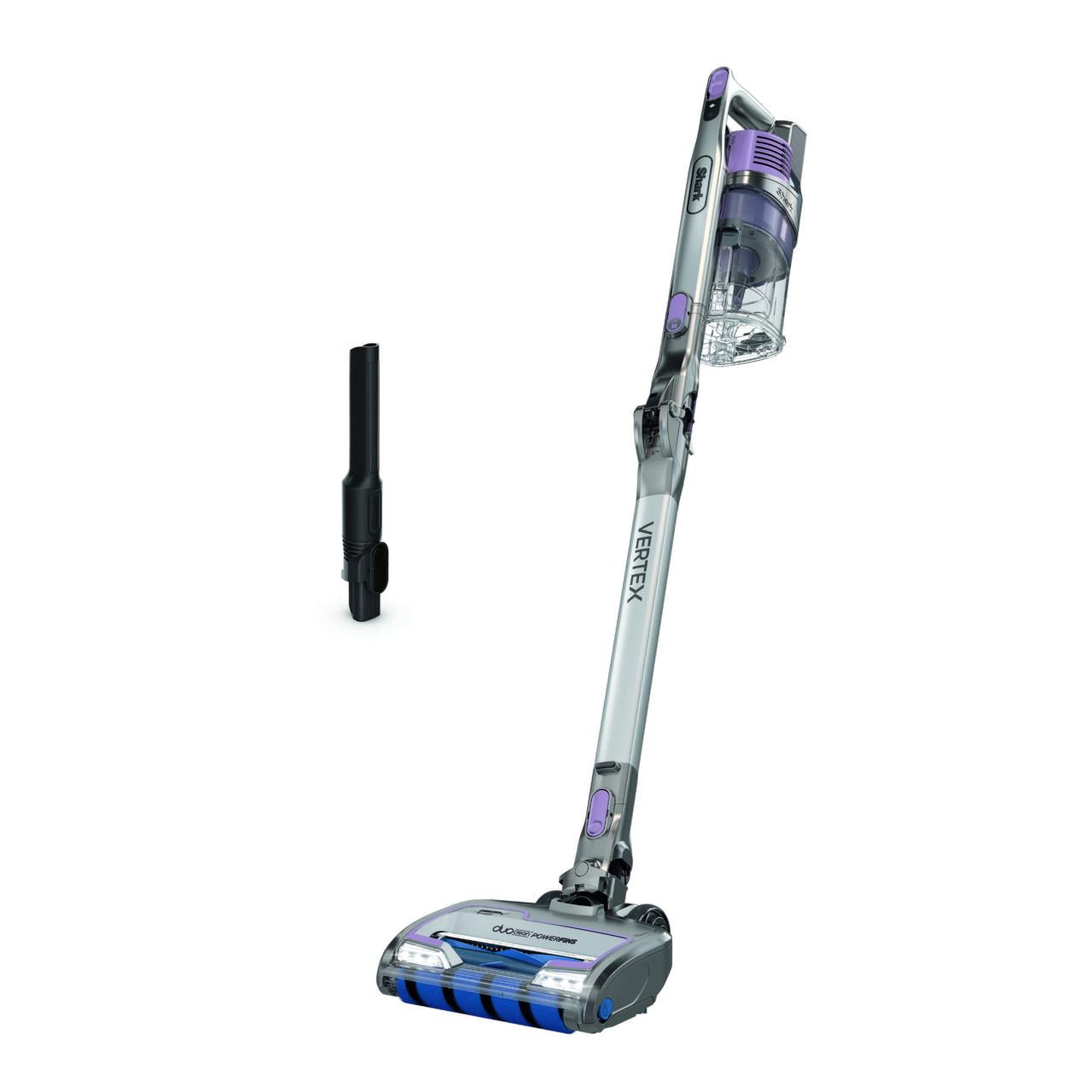
If your home is mostly carpeted, certain Shark models handle fiber depth far better than entry-level options.
Models Worth Considering
- Shark Vertex DuoClean PowerFins (AZ1002) features self-adjusting cleaner heads with PowerFins that seal against carpet.
- Shark Navigator Lift-Away Professional (NV501) offers strong suction with a detachable canister for stairs.
- Shark Stratos (AZ4202) includes anti-allergen sealing and HEPA filtration for deep allergen removal.
Look for features like DuoClean, PowerFins, or self-sealing heads when shopping specifically for carpet performance.
Frequently Asked Questions About Using a Shark Vacuum on Carpet
Can Shark vacuums adjust to different carpet heights?
No, Shark vacuums do not have physical height adjustment. They rely on a two-position switch for carpet or bare floor and a suction control dial to manage resistance. This is the only way to adapt to different carpet densities.
Why is my Shark vacuum so hard to push on carpet?
Excessive resistance usually means the suction is set too high for the carpet thickness, the brushroll is tangled, or the carpet itself is too dense for the vacuum. Try lowering the suction, cleaning the brushroll, and testing on a thinner area first.
Can I use a Shark vacuum on shag or high-pile rugs?
It is not recommended. The brushroll is too aggressive for long fibers and can cause fraying, tangling, or permanent damage to the rug. Most owners of shag or wool rugs report poor results and have switched to a different vacuum.
What suction setting should I use on carpet?
For low-pile carpet, use Max or High. For medium-pile carpet, use Min or Low to prevent drag. If the vacuum still stalls on the lowest setting, the carpet may be too thick for your model.
How often should I clean the brushroll if I vacuum carpet?
If you vacuum carpet regularly, clean the brushroll every one to two weeks. Carpet fibers and pet hair build up quickly and reduce performance.
My Shark stops mid-vacuum on carpet. What is wrong?
The motor likely overheated and triggered the thermal cutoff. Unplug the vacuum, check for clogs, clean the filters, and let the unit cool for 30 minutes before restarting.
Key Takeaways for Vacuuming Carpet With a Shark
Using a Shark vacuum on carpet works best when you match the suction setting to the carpet thickness, vacuum slowly, and keep the brushroll and filters clean. Always engage carpet mode before starting, and reduce suction on medium-pile rugs to avoid stalling. Skip high-pile, shag, and pet-resistant carpets entirely, since these often cause the vacuum to stall or damage the rug. If your home is heavily carpeted, consider upgrading to a Shark with DuoClean or PowerFins for the best results. Start with carpet mode and the correct suction level on your next cleaning session, and you will see a noticeable difference in both performance and ease of use.