You’ve just unboxed your Dyson upright vacuum, or maybe you’ve had it for a while and never quite cracked the full feature set. Either way, knowing how to use a Dyson upright properly saves you time, protects your floors, and extends the life of the machine. From setup to storage, small habits make a big difference in suction power and long-term performance.
This guide walks you through every essential step, including model identification, height adjustment, brush bar settings, attachment use, and routine maintenance. You’ll also find quick troubleshooting tips for the most common Dyson upright issues. Whether you own a Ball Animal 3, DC25, or DC41, these instructions apply across the Dyson upright lineup.
Identify Your Dyson Upright Model

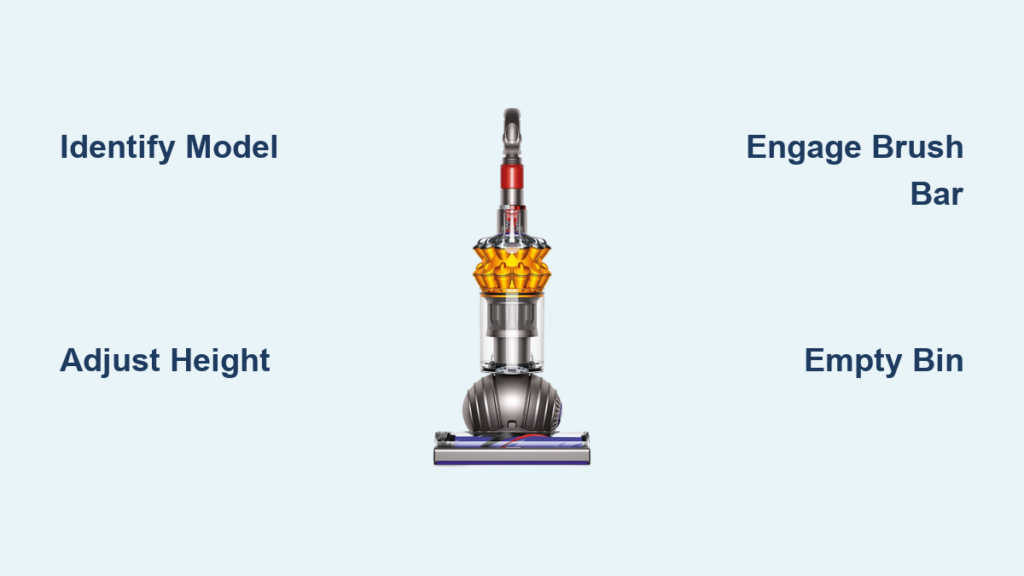
Before you start cleaning, confirm which model you own. The model number is printed on the back or base of the machine, often near the power button, wheels, or brush bar. Common Dyson uprights include the Ball Animal 3 (UP30), DC41, DC25, and DC14. Knowing your exact model helps you find the right parts, filters, and user guide.
Check the support site or your original packaging for the full model name. If you’re unsure, Dyson’s online tool can help you identify your machine by its shape and features. Registration on the Dyson website also gives you access to tailored troubleshooting and warranty support.
Clutched vs. Clutchless Models
Dyson uprights fall into two main categories based on how the brush bar operates.
- Clutched models like the DC25 and DC41 have a manual switch to turn the brush bar on or off. Use the “on” position for carpets and “off” for hard floors.
- Clutchless models like the DC33 and Ball Animal 2 automatically sense floor type. The brush engages on carpet and disengages on hard floors with no input needed.
Knowing your clutch type determines how you control the brush roll during cleaning.
Plug In and Power On Safely
Dyson uprights are corded vacuums, so they require a direct power connection. Plug the machine into a grounded wall outlet and fully unwind the cord before use. A partially wound cord can overheat and reduce suction.
Check the cord for cuts, frays, or exposed wires before every session. Stand the vacuum upright and press the red power button, usually located on the handle or body. The motor should start immediately with full suction.
Test Suction Before You Begin
Hold the vacuum over a tissue or small debris pile. Turn it on and confirm instant pickup. If suction feels weak, check for blockages or a full bin before continuing.
Pro Tip: Avoid extension cords. They reduce power delivery and can damage the motor over time.
Adjust the Height Setting for Your Floor

Correct height adjustment improves cleaning performance and prevents strain on the machine. Most Dyson uprights have a manual lever or auto-adjust feature on the cleaner head.
Find the Height Lever
On models like the DC25 and DC41, the height adjustment pedal sits on the back of the cleaner head. Step on the pedal to lower the head, then slide the lever up or down.
Match Height to Surface
- Low pile carpet or rugs: Middle setting
- Thick carpet: Highest setting (lets the brush bar spin freely)
- Hardwood, tile, or laminate: Lowest setting (keeps the head close to the floor)
If your model has auto-adjust, like the Ball Animal 3, the machine handles this automatically as you push forward.
Engage the Brush Bar the Right Way
The brush bar lifts embedded dirt from carpet fibers. But using it on hard floors can scatter debris or scratch surfaces.
For Clutched Models
Toggle the brush bar switch based on your floor type.
- Carpet: Switch to “on” so the brush spins
- Hard floors: Switch to “off” for suction-only cleaning
The switch is usually located on the side or top of the cleaner head.
For Clutchless Models
Let the machine auto-sense the floor. On carpet, the brush engages automatically. On hard floors, it disengages. No manual input is needed.
Warning: If the brush bar doesn’t spin on carpet, check for hair wrap or blockages before continuing.
Use the Wand and Attachments for Above-Floor Cleaning
Most Dyson uprights let you remove the wand and hose for stairs, upholstery, and tight corners. This turns your upright into a portable vacuum in seconds.
Remove the Wand
- Press the wand release button on the front or side of the machine
- Pull the wand straight out
- Attach your chosen tool: crevice tool, dusting brush, or upholstery tool
Clean Stairs and Furniture
- Use the stair tool for deep carpeted steps
- Glide the dusting brush over blinds, shelves, or lampshades
- Run the crevice tool along baseboards and in corners
Pro Tip: Store attachments on the machine or in a labeled drawer for quick access during cleaning sessions.
Empty the Bin the Right Way
Dyson’s cyclonic separation keeps suction strong, but a full bin reduces airflow. Empty the bin after every one to two uses or when debris reaches the MAX line.
Step-by-Step Bin Emptying
- Hold the vacuum directly over a trash can
- Press the red bin-release button on the handle
- The bottom door swings open and dirt falls out
- Close the door firmly until it clicks
Do not wash the bin while it still contains debris. Always empty it first.
Avoid Spills While Emptying
- Stand upright when emptying to prevent sideways spills
- Empty outdoors if you’re sensitive to dust
- Wear a mask if you have allergies
Pro Tip: Empty the bin in one smooth motion. Gravity does the work, so no shaking is needed.
Clean the Filter Every Month
A clogged filter chokes suction and strains the motor. Dyson uprights use washable filters that need monthly cleaning, or more often if you vacuum daily.
Remove the Filter
On most models, the filter sits behind the bin or on the back of the machine. Twist or pull to release it.
Wash and Dry the Filter
- Rinse under cold water until the water runs clear
- Gently squeeze out excess water without scrubbing or using soap
- Air dry for at least 24 hours before reinstalling
Never reinstall a damp filter. Moisture can cause mold growth and motor damage.
Reinstall the Filter
Slide or twist the filter back into place. Make sure it’s fully seated with no gaps.
Clear Blockages to Restore Suction

Loss of suction usually means a blockage somewhere in the airflow path. Dyson uprights have several common clog points: the bin inlet, wand, hose, and brush bar.
Check the Bin Inlet
Look inside the bin chamber where air exits. Remove tangled floss, paper, or string with tweezers.
Check the Hose and Wand
Detach both and drop a coin through each section. If it doesn’t pass freely, there’s a clog. Use a broom handle or plumber’s snake to gently push debris out.
Check the Brush Bar
Turn the machine off and flip it upside down. Cut away hair, thread, or fibers wrapped around the brush roll using scissors or a seam ripper.
Warning: Never run the vacuum with a blocked hose or clogged brush bar. The motor can overheat quickly.
Store Your Dyson Upright Properly
Correct storage protects internal components and keeps your machine ready for the next session.
Wind the Cord Safely
Use the built-in cord wrap hooks. Pull the plug from the outlet by gripping the plug, never the cord.
Store Upright
Always store the vacuum standing straight. This protects the neck, cord, and cleaner head from stress damage.
Keep Tools Attached
Clip all accessories back into their storage slots. This prevents loss and keeps the unit organized.
Troubleshoot Common Dyson Upright Problems
Even with proper use, occasional issues can arise. Here’s how to solve the most frequent ones.
Vacuum Won’t Turn On
- Test the outlet with another device
- Inspect the cord for cuts or kinks
- Reset the thermal cut-off by unplugging for 2 hours if the motor overheated
If the machine still won’t start, contact Dyson support directly.
Brush Bar Not Spinning
- Confirm the switch is in the “on” position on clutched models
- Clear hair wrap from the brush ends
- Make sure the bin is fully closed (Dyson disables the brush if the bin is open)
Weak Suction After Emptying
- Clean the filter, which is the number one cause of weak suction
- Check for blockages in the hose or wand
- Confirm the bin door clicks fully shut
Maintain Your Dyson Upright for Years of Use
A well-maintained Dyson upright can last seven to ten years or longer. Build these habits into your routine.
- Empty the bin after every use
- Wash the filter monthly
- Clear the brush bar weekly
- Inspect the hose every few months
- Avoid vacuuming large debris like paper clips or coins
Register your machine on the Dyson website for warranty coverage and replacement part alerts.
Replace Worn Parts on Schedule
Parts wear out with regular use. Replace them when performance drops.
- Brush bar: Every 6–12 months if bristles look worn or the bar won’t spin freely
- Filter: If it’s discolored or torn, even after cleaning
- Hose or wand: If cracked or leaking suction
- Wheels or ball: If steering feels rough or stuck
Always order genuine Dyson parts for guaranteed fit and function.
Frequently Asked Questions About Dyson Upright Vacuums
How do I know which Dyson upright model I have?
Check the back or base of the machine for the model number. Look for labels starting with “UP” or “DC.” The Dyson support site also has a tool to help you identify your machine by appearance.
Can I use a Dyson upright on hardwood floors?
Yes, but turn the brush bar off on clutched models to prevent scratching. Clutchless models auto-detect hard floors and disengage the brush automatically.
How often should I wash the filter?
Dyson recommends washing the filter at least once a month. If you vacuum daily or have pets, clean it every two weeks for best performance.
Why does my Dyson upright lose suction quickly?
A full bin, clogged filter, or blockage in the hose or brush bar are the most common causes. Check each point in order, starting with the bin and filter.
Can I use an extension cord with my Dyson upright?
No. Extension cords reduce power delivery and can overheat the motor. Always plug your Dyson directly into a wall outlet.
How long does a Dyson upright usually last?
With regular maintenance, a Dyson upright can last seven to ten years. Replacing filters and brush bars on schedule helps extend its lifespan.
Key Takeaways for Using Your Dyson Upright
Using a Dyson upright correctly comes down to three core habits. Match the brush bar and height settings to your floor type. Empty the bin and clean the filter on a consistent schedule. Clear blockages as soon as suction drops.
Start by identifying your model and confirming whether it’s clutched or clutchless. Then follow the setup, cleaning, and storage steps in this guide to keep your machine running like new. For model-specific diagrams and instructions, always refer to the user guide on Dyson’s support site.