If your Yeedi vacuum isn’t picking up debris like it used to, or if it’s making strange noises during operation, the issue might not be a malfunction. Chances are, it just needs a thorough cleaning. Regular maintenance is essential for keeping your Yeedi robot vacuum running efficiently and extending its lifespan. Built-in brushes, sensors, and filters can quickly accumulate dust, hair, and grime, especially in homes with pets or high foot traffic.
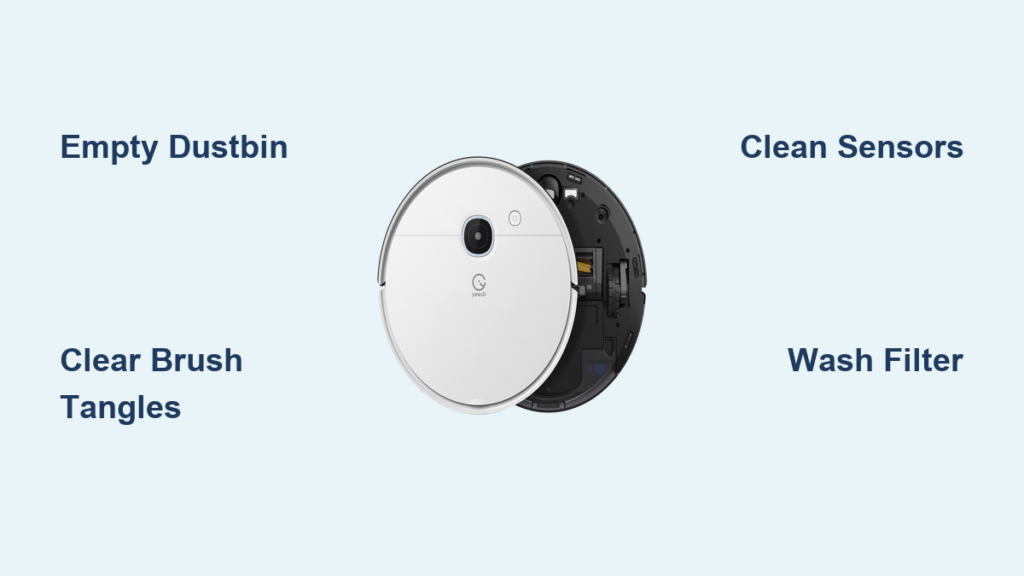
This guide walks you through every step of cleaning your Yeedi robot vacuum. You’ll learn how to empty the dustbin, remove tangled hair from the main brushroll, wipe sensors, and maintain the side brushes. Whether you own a Yeedi K650, Yeedi Vac Station, or another model, these cleaning procedures apply universally. With just a few minutes of weekly care, you can keep your Yeedi vacuum working like new.
Empty the Dustbin Regularly

Remove and Open the Dustbin
Start by turning off your Yeedi vacuum and placing it on a flat surface. Locate the dustbin at the top or side of the unit, depending on your model. Press the release button or lift the latch to remove it. Open the dustbin lid by sliding or pressing the designated tab. Do this over a trash can to avoid making a mess.
Clean Interior and Filter
Shake out loose debris and use a dry cloth to wipe the inside of the dustbin. Avoid using water unless specified in your user manual. The filter should be removed before washing. Most Yeedi models use a washable HEPA-style filter. Tap it gently to remove dust, then rinse under cool water if needed. Let the filter air dry completely for at least 24 hours before reinstalling. Never run the vacuum with a wet filter.
Reinstall Dustbin Securely
Once dry, slide the filter back into place until it clicks. Reattach the dustbin to the robot, ensuring it locks into position with an audible snap. A poorly seated dustbin can trigger error messages or reduce suction power.
Clear the Main Brushroll
Remove the Brushroll Assembly
Flip the Yeedi vacuum upside down. Look for the brushroll cover on the bottom panel, usually secured with screws or clips. Use a Phillips screwdriver if needed, or press the release tabs to open the cover. Carefully slide out the main brushroll.
Cut and Pull Out Hair Tangles
Hair, pet fur, and strings often wrap tightly around the brushroll. Use scissors to cut through tangled strands at both ends, then pull them off. Be careful not to damage the bristles or the rubber fins. For stubborn buildup, use a seam ripper or tweezers to remove debris lodged near the bearings.
Inspect and Reinstall Brush
Check the brushroll for wear. Bent bristles or cracked rubber sections mean it’s time for a replacement. Spin the roller by hand to ensure it turns freely. Place it back into the housing, align the ends with the mounts, and secure the cover. Make sure the brush spins without resistance.
Clean Side Brushes and Wheels
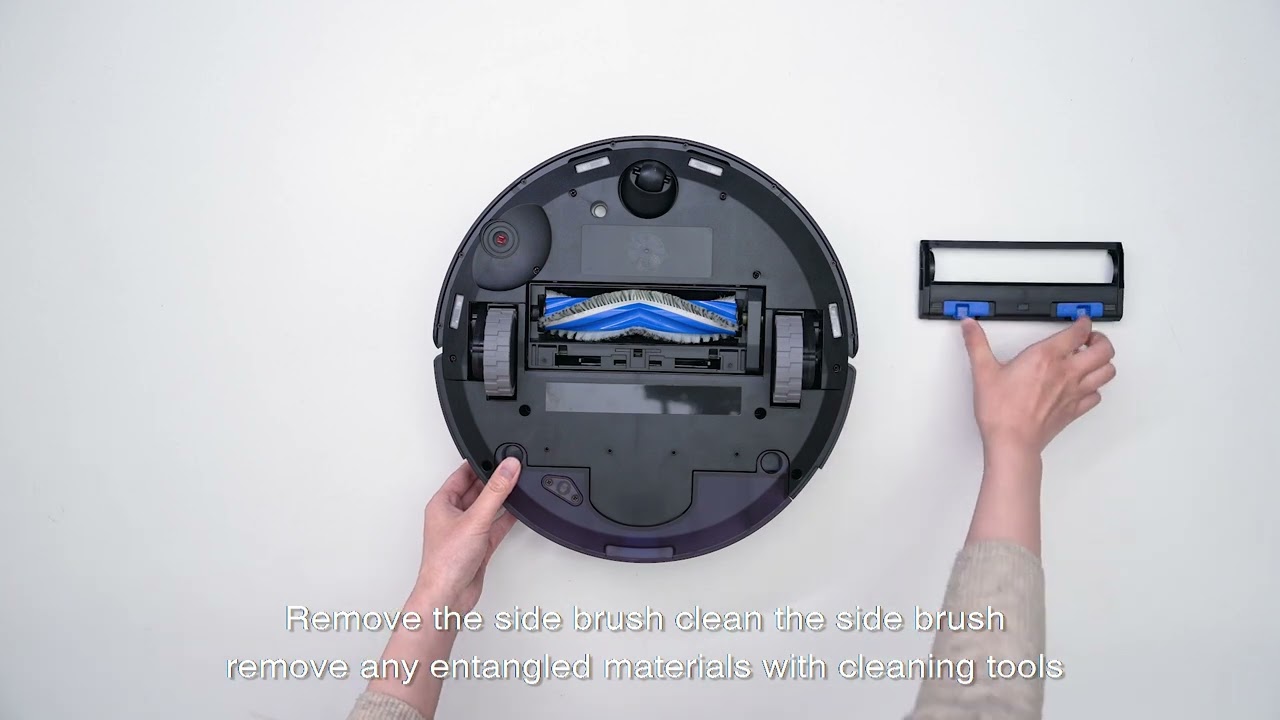
Remove and Wash Side Brushes
Locate the side brushes on either side of the vacuum base. They typically snap off with a firm pull. Rinse them under lukewarm water to remove dust and hair buildup. Dry thoroughly before reattaching. Replace if bent or cracked, as damaged brushes reduce edge-cleaning efficiency.
Wipe Drive Wheels
The drive wheels, located on the sides or back, can collect lint and debris that affect traction. Use a soft cloth dampened with water or isopropyl alcohol to wipe around the wheel axles. Rotate the wheels manually while cleaning to access all sides. Ensure they spin freely and aren’t obstructed by string or carpet fibers.
Check Wheel Suspension
Yeedi vacuums use suspension systems to handle uneven floors. Gently press down on each wheel to confirm it moves up and down smoothly. If a wheel feels stiff or stuck, inspect for blockages and clean the surrounding area.
Wipe Sensors and Charging Contacts
Clean Navigation Sensors
On the front and top of the Yeedi vacuum, you’ll find optical and infrared sensors used for navigation and obstacle detection. Use a microfiber cloth lightly dampened with water to wipe the sensor lenses. Avoid using harsh chemicals or abrasive materials that could scratch the surface. Dirty sensors can cause the vacuum to bump into furniture or get lost.
Clear Cliff Sensors
Flip the vacuum over and locate the small openings near the front edge. These are the cliff sensors that prevent falls down stairs. Use a cotton swab or soft brush to remove dust from these ports. Never insert metal objects, as they can damage internal components.
Clean Charging Contacts
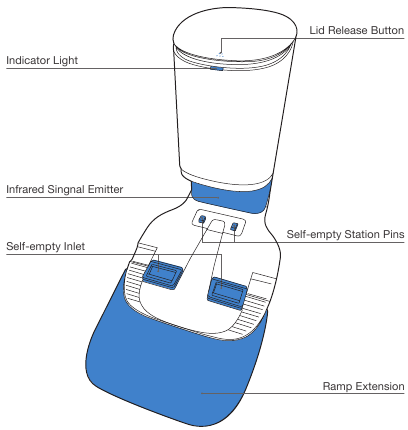
Find the metal charging contacts on the back of the vacuum and the docking station. Use a dry or slightly damp cloth to wipe away corrosion or grime. For stubborn residue, use a cotton swab with a small amount of isopropyl alcohol. Clean contacts ensure reliable charging and docking performance.
Maintain the Filter System
Locate and Remove Filter
The primary filter sits inside the dustbin compartment. Press the release tab and pull it out gently. Some models have additional pre-motor filters, so check your manual if unsure. Always power off the vacuum before accessing internal components.
Wash and Dry Properly
Rinse the filter under cool running water until the water runs clear. Do not scrub aggressively or use detergents. Squeeze gently to remove excess water, but never twist or wring it. Place it in a well-ventilated area to dry for at least 24 hours. Never reinstall a damp filter, as it can damage the motor or cause mold.
Replace When Necessary
Even with regular cleaning, filters degrade over time. Replace the Yeedi filter every 3 to 6 months, depending on usage. Signs it’s time for a replacement include reduced suction, frequent clogs, or a musty odor during operation.
Address Common Clogs

Check Suction Path
If suction power drops, inspect the entire air path. Start at the brushroll housing and follow the channel leading into the dustbin. Use a pipe cleaner or narrow brush to dislodge trapped debris. Pay attention to the intake port just above the main brush.
Clear Dustbin Outlet
The opening where air exits the dustbin can become blocked. Remove the dustbin and look through the outlet hole. If you see buildup, use a dry cotton swab or soft brush to clean it. Avoid poking with sharp objects that could damage seals or internal parts.
Inspect for Hidden Blockages
Sometimes, clogs form in less accessible areas. If the vacuum sounds strained or shuts off unexpectedly, turn it off and inspect all airflow points. Listen for changes in motor noise after cleaning. If it still sounds off, a deeper internal blockage may require professional service.
Schedule Routine Maintenance
Weekly Cleaning Routine
Set a weekly reminder to empty the dustbin, clean the main brush, and wipe sensors. This prevents buildup that leads to performance issues. Weekly care takes less than 10 minutes but significantly boosts efficiency.
Monthly Deep Clean
Once a month, perform a full maintenance check. Wash the filter, inspect wheels, clean side brushes, and verify all components are secure. Use this time to check for firmware updates via the Yeedi app, which can improve cleaning patterns and sensor accuracy.
Seasonal Part Replacement
Every 6 to 12 months, replace high-wear parts like the main brushroll, side brushes, and filter. Keeping spare parts on hand minimizes downtime. Genuine Yeedi replacements ensure compatibility and optimal performance.
Frequently Asked Questions About Cleaning a Yeedi Vacuum
How often should I clean my Yeedi vacuum?
You should empty the dustbin after every few uses and perform a full cleaning of the brush, sensors, and wheels weekly. The filter needs washing once a month and replacement every 3 to 6 months for best results.
Can I wash the Yeedi filter with soap?
No, do not use soap or detergents on the filter. Rinse it under cool running water only, and let it air dry for at least 24 hours before reinstalling. Detergents can damage the filter media and reduce its effectiveness.
What should I do if my Yeedi vacuum smells bad?
A musty odor usually means the filter is wet or clogged. Remove the filter, let it dry completely, and clean the dustbin thoroughly. If the smell persists, replace the filter as it may be harboring trapped moisture or bacteria.
Why is my Yeedi vacuum leaving debris behind?
This is often caused by a full dustbin, tangled brushroll, or clogged suction path. Empty the bin, remove hair from the brush, and check the air intake for blockages. Dirty cliff or navigation sensors can also affect cleaning patterns.
Can I use cleaning sprays on my Yeedi vacuum?
Avoid spraying any cleaning solutions directly on the vacuum. Use a microfiber cloth lightly dampened with water or isopropyl alcohol for surfaces. Harsh chemicals can damage sensors, plastic components, and internal seals.
Where can I buy replacement parts for my Yeedi vacuum?
Genuine Yeedi replacement parts are available through the official Yeedi website, authorized retailers, and online marketplaces. Using genuine parts ensures proper fit and maintains your vacuum’s performance.
Key Takeaways for Keeping Your Yeedi Vacuum Clean
Regular cleaning keeps your Yeedi vacuum operating at peak performance, reducing errors and extending the life of key components. By following these simple steps, emptying the bin, clearing tangles, cleaning sensors, and maintaining filters, you’ll ensure reliable, hands-free cleaning for months to come. Make maintenance part of your routine, and your Yeedi will keep your floors spotless with minimal intervention.
Start by setting a weekly reminder today, and stock up on replacement filters and brushes so you’re always prepared.