If your Eufy vacuum no longer holds a charge or you are prepping it for long-term storage, removing the battery is often the solution. Whether you own a RoboVac robot or a HomeVac handheld, most Eufy models feature user-replaceable batteries designed for quick swaps. Knowing how to remove a Eufy vacuum battery the right way protects your device, keeps you safe, and extends the life of your machine. This guide walks you through removal for both product lines, plus troubleshooting tips, replacement advice, and proper disposal methods.
Prepare for a Safe Battery Removal
Power Down and Disconnect the Vacuum
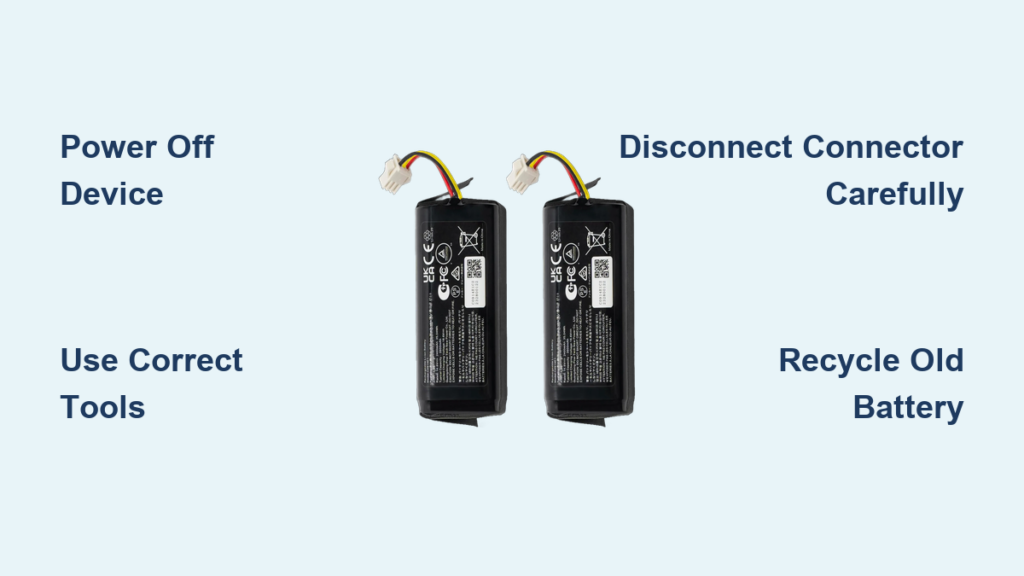
Turn off your Eufy vacuum completely and unplug it from the charging dock before doing anything else. Lithium-ion batteries can short-circuit or spark if you work on a powered device, so this step is non-negotiable.
Gather the Right Tools
Most Eufy models need minimal equipment, but having the basics on hand saves time:
– Phillips-head screwdriver for RoboVac battery covers
– Flat-head screwdriver for prying tight connectors
– Soft cloth or towel to protect the vacuum’s finish
– Small magnetic tray to keep screws from rolling away
HomeVac models like the S11 and H30 often have tool-free release buttons, though a screwdriver can help in a pinch.
Identify Your Eufy Model
Removal steps differ between Eufy’s two main product lines. The RoboVac series accesses the battery from underneath, while the HomeVac series places the battery at the handle base. Check the model number printed on the bottom of your device before starting.
Remove the Battery from RoboVac Robot Vacuums
Flip the Robot Onto a Soft Surface
Place the RoboVac upside down on a towel or soft mat. This prevents scratches to the camera, sensors, and glossy top finish during the process.
Unscrew the Battery Cover
Find the rectangular battery cover plate on the underside of the unit. Most models (11S, 15C, G30) use one or two Phillips screws. Remove them and place them in your magnetic tray so they do not get lost.
Disconnect the Battery Wire
Lift off the cover to reveal the battery pack and its wire connector. Always grip the plastic connector housing, never the wires themselves, and pull straight out. If it feels stuck, gently pry the sides with a flat-head screwdriver or apply a slight rocking motion. Avoid yanking hard to prevent breaking the socket.
Slide the Battery Out
Once disconnected, slide the battery out of its slot. Take note of the orientation (which side faces up) so you can reinstall it correctly later. Larger models like the RoboVac X8 and L70 use 5200mAh batteries but follow the same basic removal process.
Remove the Battery from HomeVac Handheld Vacuums
Power Off and Let the Unit Cool
Make sure the HomeVac is fully powered off. If you just finished cleaning, wait 5 to 10 minutes for the motor and battery to cool down before handling.
Locate the Release Button or Latch
On the HomeVac S11 and H30, the battery sits at the base of the handle. Look for a small button or sliding latch, usually marked with a battery icon.
Press and Detach the Battery
Press and hold the release button while pulling the battery straight down. It should slide out smoothly. If you feel resistance, try pressing the button from a different angle or gently wiggling the battery as you pull. Make sure no dust or debris is jamming the latch.
Know the Limits of Sealed Models
Some HomeVac Marvel units ship with sealed, non-removable batteries. Forcing these open can permanently damage the vacuum. If your model has no visible release button, contact Eufy support for professional service rather than attempting disassembly.
Troubleshoot Common Removal Problems
Stuck Battery Connector
If the connector refuses to budge, do not pull the wires. Instead, slide a plastic spudger or flat-head screwdriver along the connector edges to gently work it loose. You can also dab a small amount of isopropyl alcohol on the contacts to dissolve corrosion.
Stripped Battery Cover Screw
A stripped screw blocks access to the battery. Place a rubber band over the screw head and press your screwdriver into it for extra grip. If that fails, a precision screw extractor tool is your next best option. Using the correct screwdriver size from the start prevents this problem.
Battery Won’t Slide Out
Jammed batteries often have hidden clips or old adhesive holding them in place. Rock the battery gently side to side while pulling. Double-check that the vacuum is fully powered off, since some models lock the battery when the device is active.
Release Button Not Working
For HomeVacs with a stuck release button, hold the button down while prying the battery edge with a fingernail. Clear dust from around the button with a burst of compressed air. Avoid metal tools that could scratch the housing.
Handle Lithium-Ion Batteries With Care
Prevent Physical Damage
Never puncture, bend, or crush the battery. If you notice swelling, leaks, or cracks, stop using it immediately and recycle it. Damaged lithium-ion cells can overheat or catch fire.
Avoid Short Circuits
Keep battery terminals away from keys, coins, and other metal objects. Store removed batteries in a plastic case or the original Eufy packaging until you are ready to dispose of or reuse them.
Keep Batteries Cool and Dry
Heat and moisture are the two biggest enemies of lithium-ion cells. Store batteries in a cool, dry area away from direct sunlight, radiators, and liquids. Never try to crack open a battery pack.
Recycle Old Batteries Responsibly
Do not toss lithium-ion batteries in household trash. Drop them off at a designated recycling center or use retailer collection bins at stores like Best Buy or Home Depot.
Install a New Battery the Right Way

Match the Correct Replacement
Always verify that your new battery matches your vacuum model. Common Eufy part numbers include:
– RoboVac 11S: BSC11S, 14.4V, 2200mAh
– RoboVac 15C Max: BSC15CM, 14.4V, 2600mAh
– HomeVac S11: BSCS11, 25.2V, 2500mAh
Buy from the official Eufy store or authorized sellers to ensure safety and warranty coverage.
Reconnect Carefully
Slide the new battery into the compartment in the correct orientation. Align the connector and press it firmly until it clicks. Misalignment can bend the pins, so never force the connection.
Secure the Cover Without Over-Tightening
Replace the battery cover and tighten the screws just enough to hold them snugly. Over-tightening can strip the threads or crack the plastic housing.
Find the Best Place to Buy Replacement Batteries
Shop the Official Eufy Store
Visit eufylife.com for genuine parts. Official purchases include a 12-month warranty, fast shipping, and a hassle-free return policy.
Check Authorized Retailers
Amazon, Best Buy, Walmart, and Target all stock Eufy replacement batteries. On Amazon, look for listings marked “Ships from Eufy” or “Sold by Eufy” to ensure authenticity.
Consider Third-Party Options Carefully
Third-party batteries cost less (often $25 to $40 compared to $50+ for genuine ones), but they may lack proper safety certifications. Use them only as a last resort when genuine options are unavailable.
Extend the Life of Your Eufy Battery
Charge the Smart Way
Always use the original charger. Avoid leaving the vacuum on the dock for days after a full charge, and favor partial discharge cycles (20% to 80%) over full drains to maximize battery health.
Store at Half Charge for Long Breaks
If you are storing the vacuum for a month or longer, charge the battery to about 50% to 60%. Keep it in a cool, dry place between 20°C and 25°C (68°F to 77°F).
Clean the Contacts Every Few Months
Wipe the battery terminals and the vacuum’s connector pins with a dry cloth every few months. Clean contacts prevent corrosion and ensure a strong, consistent connection.
Recognize the Signs You Need a New Battery
Watch for These Warning Signals
- Reduced runtime: The vacuum dies after only a few minutes of cleaning
- Charging failure: No indicator lights or charging response when docked
- Visible swelling: The battery bulges or sits unevenly in its compartment
- Error codes: A flashing battery icon on the device or in the Eufy app
Plan for Routine Replacement
Most Eufy robot vacuum batteries last 2 to 3 years with regular use. Handheld models typically need a new battery every 2 years, depending on how often you charge them.
Reach Out to Eufy Support When Needed
If you run into trouble during removal or need warranty service, Eufy’s support team is ready to help:
– eufy Clean Support (USA): +1 (800) 994-3056
– Email: support@eufy.com
– Live Chat: Available 24/7 at eufylife.com
Eufy offers a 12-month warranty covering defects in materials and workmanship. Removing the battery correctly will not void your warranty as long as no damage occurs.
Frequently Asked Questions About Removing a Eufy Vacuum Battery
How often should I replace my Eufy vacuum battery?
Robot vacuum batteries typically last 2 to 3 years, while handheld models usually need replacement every 2 years. Heavy use and frequent full discharges can shorten that lifespan.
Can I use my Eufy vacuum while it is charging?
No. RoboVac models cannot operate while docked. Some HomeVac models may technically allow pass-through charging, but Eufy does not recommend it for battery health.
How do I know if my battery needs replacement?
Common signs include dramatically shorter runtimes, failure to charge, visible swelling, or battery error codes on the device or in the app.
Can I replace the battery myself?
Yes. Most Eufy vacuums are designed for user battery replacement. You will typically need a Phillips-head screwdriver, though many HomeVac models require no tools at all.
What should I do with my old battery?
Take it to a designated battery recycling center or a retailer drop-off bin. Never throw lithium-ion batteries in household trash, as they can leak harmful chemicals or cause fires.
Will removing the battery void my warranty?
No, as long as you follow the manufacturer’s instructions and do not damage the unit during removal. Improper removal that causes damage may not be covered.
Final Takeaways for Removing Your Eufy Vacuum Battery
Removing a Eufy vacuum battery is a straightforward DIY task when you follow the right steps. Always power off the device and disconnect it from the charger before starting, and use the correct tools to avoid stripping screws or damaging connectors. Match any replacement battery to your specific model and buy from reputable sources to protect both performance and safety. When the old battery reaches the end of its life, recycle it at a proper facility to keep your home and the environment safe. With a little care, your Eufy vacuum will keep running strong for years to come.