Your Eureka vacuum suddenly shuts off mid-cleaning, and now it refuses to turn back on. This frustrating scenario affects thousands of Eureka owners every year. The cause is almost always a thermal safety reset that triggers when the motor overheats. The good news: this built-in protection feature is easy to address, and you can complete the entire reset process in under an hour without any special tools or technical expertise.
This guide covers exactly how to reset a Eureka vacuum, where to find the reset button on popular models, and what to check before pressing it. You’ll also learn simple maintenance habits that prevent future shutdowns and extend your vacuum’s lifespan. Let’s get your Eureka working like new again.
Find the Reset Button on Your Eureka Vacuum

Every Eureka vacuum with thermal protection includes a small reset button. The location depends on your specific model, but a few common spots cover most units.
Check the Bottom or Rear Panel
On most upright Eureka vacuums, the reset button sits on the bottom or back of the motor housing. Flip the vacuum over and look for a small red button, often near the front wheel or behind the brush roll access panel. Canister models usually place it on the back of the powerhead or near the cord rewind base.
Visual cues to identify the button:
– Small red or black circular button
– Recessed slightly into the housing
– Pops out when the thermal switch trips
If the button feels pushed out, your motor overheated and triggered the safety cutoff. This confirms you need a reset.
Confirm Your Model’s Specific Location
Different Eureka series place the reset button in different spots. Here are the most common placements:
- Eureka PowerSpeed, PowerDash, UltraLight: Bottom of the unit near the front wheel
- Eureka AirSpeed and Ninja series: Rear lower panel
- Eureka Boss and Mighty Mite: Behind the dust cup or near the brush roll
- Cordless stick vacuums: No physical button (see cordless reset section below)
If you cannot locate the button, check your user manual or visit eurekavacuum.com with your model number for a specific diagram.
Prepare Your Vacuum Before Resetting
Pressing the reset button without addressing the cause leads to repeated shutdowns. Take these steps first to ensure a successful reset.
Unplug the Vacuum for Safety
Always disconnect the power cord before resetting. This prevents electrical hazards and allows the motor to cool properly. Never attempt to reset a plugged-in unit.
Let the Motor Cool Completely
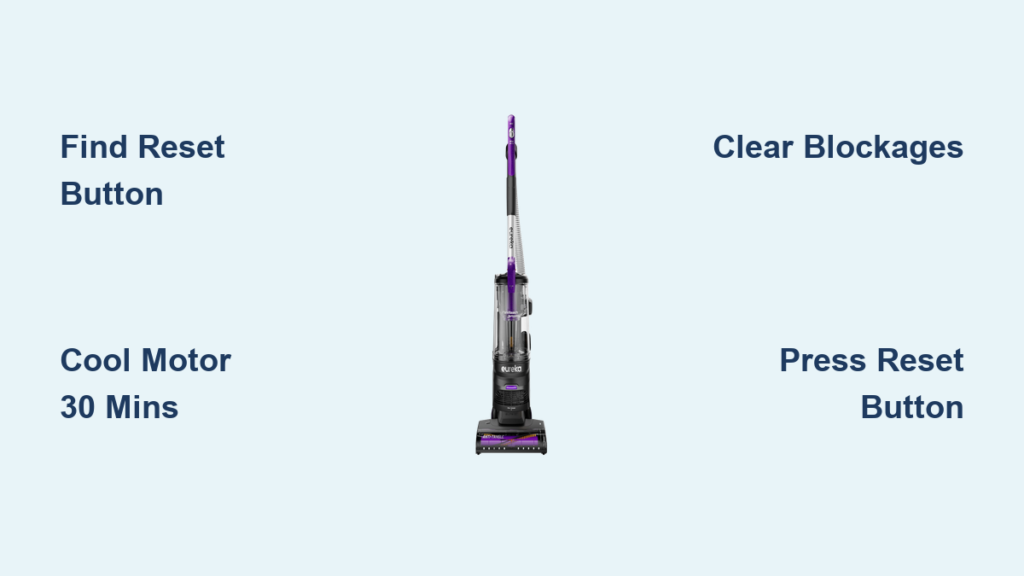
Thermal cutoffs activate when internal temperatures reach unsafe levels, typically after 15 to 20 minutes of continuous use. Let the vacuum sit unplugged for at least 30 minutes. Rushing this step means the thermal switch stays engaged, and the reset will not work.
Clear All Blockages First
A clogged vacuum forces the motor to work harder and generate excess heat. Check these four areas before resetting:
- Hose and wand: Remove attachments and shine a flashlight inside. Use a broom handle or long bottle brush to push out debris.
- Brush roll: Turn the vacuum over, remove the soleplate, and cut away hair or string wrapped around the roller.
- Dust cup or bag: Empty the container if it is more than two-thirds full.
- Filters: Remove and tap out loose dust. Wash foam and felt filters with water if they are washable, then air dry for 24 hours before reinstalling.
Clearing these obstructions reduces motor strain and prevents immediate re-tripping after the reset.
Press the Reset Button Safely
Once your vacuum has cooled and all blockages are cleared, you can reset the thermal protection switch.
Activate the Reset Button
Use a small tool like a paperclip, toothpick, or pen tip to press the red reset button gently. You should feel a light click when it engages. Do not force the button. If it does not depress, the motor may still be too hot, or the switch could be damaged and need professional service.
Power On and Test the Vacuum
Plug the vacuum back in and turn it on. Run it for 5 minutes on a hard surface like hardwood or tile. Listen for unusual noises, watch for weak suction, and confirm the motor does not shut off unexpectedly. If the vacuum runs smoothly, you have completed the reset successfully.
Troubleshoot If the Vacuum Still Won’t Start
If your Eureka does not respond after the reset, check these potential issues:
- Test the electrical outlet with another device to confirm power is flowing
- Inspect the power cord for frays, cuts, or exposed wires
- Ensure all parts, including the dust cup, filter, and hose, are properly reinstalled
- Wait another 15 minutes in case the motor needs more cooling time
Reset Cordless Eureka Vacuums Without a Button
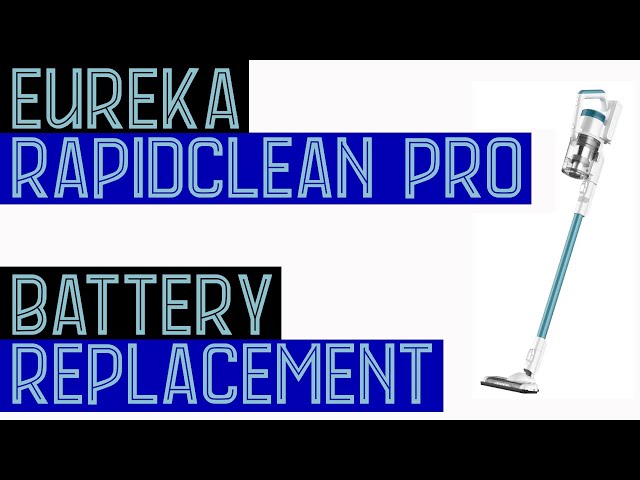
Cordless models like the Eureka RapidClean Pro and FeatherWeight do not have a physical reset button. Instead, perform a power cycle reset to clear electronic glitches.
Perform a Power Cycle Reset
Follow these four steps to reset your cordless Eureka:
- Remove the battery pack or unplug the charger from the vacuum
- Hold the power button down for 10 to 15 seconds to discharge residual electricity
- Reinsert the battery or reconnect the charger
- Press the power button to restart the vacuum
This process clears temporary circuit board errors and restores normal operation.
Fix Charging and Battery Issues
If your cordless vacuum will not hold a charge after the reset, try these solutions:
- Wipe the charging contacts with a dry cloth to remove dust buildup
- Test a different wall outlet to rule out a power supply problem
- Allow the battery to charge fully for 3 to 4 hours before testing the vacuum
- Replace the battery if it is more than 2 years old or no longer holds a charge
Prevent Future Overheating and Shutdowns
Frequent resets signal that your vacuum needs better maintenance. Build these habits into your routine to avoid repeat issues.
Clean After Every Use
Regular cleaning prevents the buildup that causes overheating. Focus on these quick tasks after each vacuuming session:
- Empty the dust cup immediately to maintain airflow
- Wipe the cyclonic chamber with a dry cloth to remove dust residue
- Remove hair and debris from the brush roll once per week
- Check the hose for clogs before storing the vacuum
Replace Filters on Schedule
Foam and pleated filters trap fine particles but restrict airflow when dirty. Clean washable filters every 1 to 2 months and replace them every 6 to 12 months. A clogged filter forces the motor to work harder, which increases heat and triggers thermal shutdowns.
Avoid Extended Continuous Use
Running your Eureka for more than 20 to 30 minutes straight can overheat the motor, especially in hot environments or on thick carpet. Take 15-minute breaks during large cleaning jobs to let the motor cool. This simple habit extends motor life and reduces the need for frequent resets.
Know When to Replace Your Vacuum
Sometimes a reset is not enough. Consider replacing your Eureka if you notice these warning signs:
- The motor emits a burning smell that does not go away
- The reset button will not stay depressed when pushed
- The vacuum is more than 7 years old with steadily declining suction
- You have completed multiple resets within a short period with no improvement
Eureka offers affordable replacement models like the AirSpeed Max and Ninja Blade that feature improved airflow and updated motor protection. Upgrading can save you the frustration of repeated breakdowns.
Troubleshoot Common Eureka Problems After Reset

Even after a successful reset, some issues may persist. Use this quick guide to diagnose and fix the most common problems.
Vacuum Shuts Off Immediately After Starting
- Likely cause: Motor is still too hot or a blockage remains
- Fix: Wait 30 more minutes and recheck the hose, filter, and brush roll for obstructions
Brush Roll Does Not Spin
- Likely cause: Hair wrapped around the roller or a broken belt
- Fix: Remove the soleplate, clear debris, and inspect the belt for cracks or stretching. Replace if damaged.
Suction Feels Weak After Reset
- Likely cause: Dirty filter, full dust cup, or cracked hose
- Fix: Clean all airflow paths, empty the dust cup, and inspect the hose for holes or loose connections
Frequently Asked Questions About Resetting a Eureka Vacuum
Where is the reset button on a Eureka vacuum?
The reset button is typically a small red button located on the bottom or rear of the vacuum near the motor housing. On upright models, check near the front wheel or behind the brush roll access panel. Canister models usually have it on the back of the powerhead. Cordless Eureka vacuums do not have a physical reset button.
How long does it take for a Eureka vacuum to cool down?
Allow at least 30 minutes for the motor to cool completely after a thermal shutdown. The thermal cutoff activates when internal temperatures reach unsafe levels, and rushing the cooling process means the reset button will not engage properly.
Why does my Eureka vacuum keep shutting off?
The most common cause is overheating due to blockages in the hose, brush roll, or filters. A full dust cup also restricts airflow and forces the motor to work harder. Cleaning these areas and resetting the thermal switch usually resolves the issue.
Can I reset a Eureka vacuum without a reset button?
Yes, for cordless models. Perform a power cycle reset by removing the battery, holding the power button for 10 to 15 seconds, then reinstalling the battery and restarting. For corded models without a visible button, unplug the vacuum for 30 minutes to reset the thermal protection.
How often should I clean my Eureka vacuum filters?
Clean washable filters every 1 to 2 months and replace them every 6 to 12 months. Regular filter maintenance prevents airflow restrictions that cause the motor to overheat and trigger the thermal reset.
What does it mean if the reset button won’t push in?
If the reset button does not depress, the motor may still be too hot or the thermal switch could be faulty. Wait an additional 30 minutes and try again. If the button still does not engage, the vacuum may need professional repair or replacement.
Key Takeaways for Resetting Your Eureka Vacuum
Knowing how to reset a Eureka vacuum saves you time, money, and unnecessary frustration. The reset button is a safety feature designed to protect the motor, not a cure-all for underlying maintenance issues. Always clear blockages, empty the dust cup, and clean the filters before pressing reset. Let the motor cool for at least 30 minutes to ensure the thermal switch resets properly.
Your next step is simple: locate the reset button on your model, complete the cleaning checklist, and perform the reset following the steps in this guide. If your vacuum still struggles after a full reset and thorough maintenance, contact Eureka customer support for warranty service or explore replacement options. With regular care, your Eureka vacuum will deliver reliable cleaning performance for years to come.